

Scissors & Forceps,
Shift Scheduling Management System V1.0
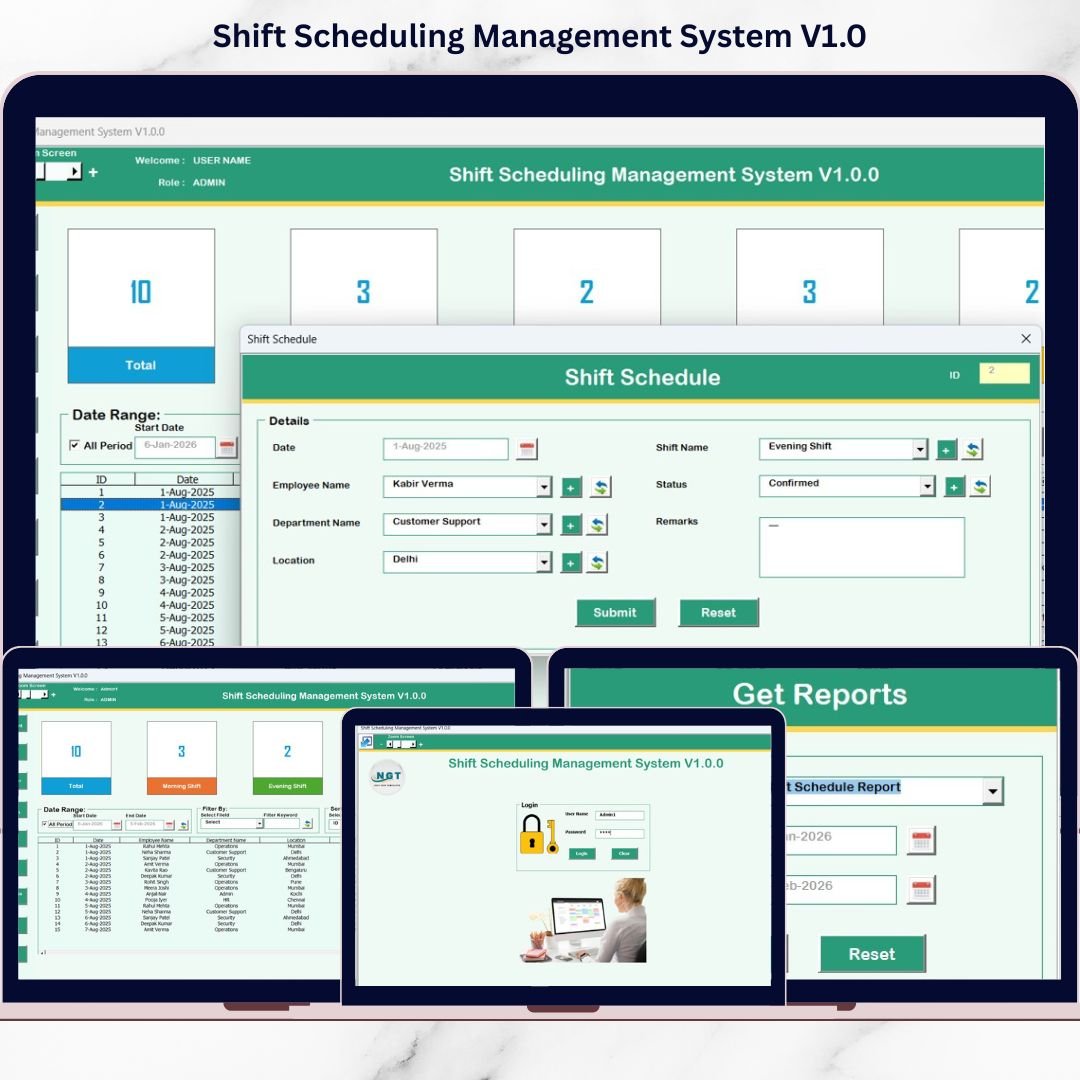
Managing employee shift schedules manually can quickly become complex, time-consuming, and error-prone—especially when dealing with multiple employees, shifts, and date ranges. Emails, registers, and scattered Excel files often result in scheduling conflicts, data inconsistencies, and poor visibility. Shift Scheduling Management System V1.0 in Excel VBA is a complete, ready-to-use solution designed to simplify and automate shift scheduling operations using Microsoft Excel. Built using Excel and VBA, this system converts Excel into a secure, application-like workforce management tool. It allows organizations to manage shifts, employees, users, access controls, and reports from one centralized file—without any recurring subscription cost. �� Key Features ✅ Secure Login with Role-Based Access The system starts with a Login Form to ensure data security and controlled access. Default Credentials: Admin Username: Admin1 Password: abcd User Username: User1 Password: abcd Admins and users see features based on assigned access rights. ✅ Shift Scheduling Shift Scheduling Management System The main form is the core working screen where all shift scheduling activities are managed. Includes: Central list box displaying shift records Date-based and column-based filtering Sorting options for quick data organization Add, update, delete shift records Export shift data instantly to a new Excel file Users can double-click any record to edit it easily. ✅ Data Entry & Update Form A dedicated form opens when adding or updating records, allowing users to: Enter new shift schedules Modify existing shift information Save data securely into Excel �� Navigation Menu Features The left-side navigation menu provides complete system control: Firm Information – Store and update company details User Management – Add, update, delete users and reset passwords Manage List – Maintain dropdown values used across the system Shift Master – Define and manage shift types Employee Master – Maintain employee details Reports – Generate Excel reports for selected date ranges User Access Control – Assign role-based permissions (Admin only) Logout – Saves data and safely closes the system Email Us – Contact support for help or customization Visit Website – Explore more ready-to-use tools �� Reports & Export Capability The built-in reporting module allows users to: Select a date range Generate structured reports in Excel format Export data for audits, reviews, and management reporting �� System Compatibility (Important) ⚠️ Please review before purchase: ✔ Compatible with Windows 10 and above ✔ Requires Microsoft Excel 2010 or later ✔ Works only with Excel Desktop application ❌ Not supported on Mac OS ❌ Not supported on Mobile or Tablet devices �� Advantages of This System Eliminates manual shift scheduling errors Centralized and structured data management Secure login and role-based access Easy-to-use Excel interface One-time purchase (no subscriptions) Fast Excel-based reporting Fully customizable using VBA �� Who Should Use This Tool? This system is ideal for: Hospitals and clinics Manufacturing units Retail stores Security agencies Call centers Facility management companies Small and medium-sized businesses �� Why Buy This Digital Product? If you want a cost-effective, secure, and Excel-based Shift Scheduling Management System that your team can start using immediately—this tool is the perfect solution. No complex software. No recurring fees. Just Excel VBA automation. Visit our YouTube channel to learn step-by-step video tutorials Youtube.com/@PKAnExcelExpert �� Click here to read the Detailed blog post Watch the step-by-step video tutorial:
$ 18.87